Choose a performance before polishing it
A vocal transformation magnifies what enters it. If the source comp changes vowel colour mid-word, lands a consonant late, or carries a sharp inhale into a sustained note, later processing can make the discontinuity more obvious rather than less. Start by making one lead performance that communicates the line. This is not a legal or identity workflow; it is an editing order. Pick takes for phrasing and intelligibility before you reach for tuning, timing, timbre, or conversion tools.
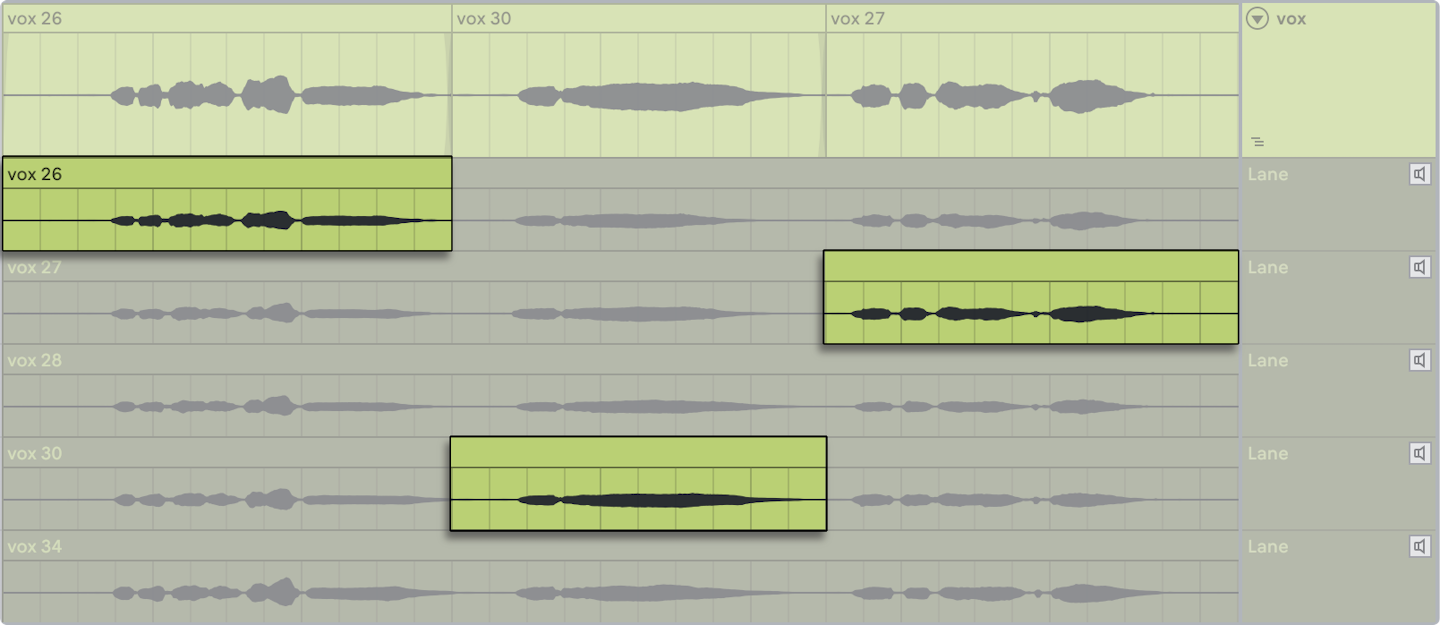
Use short, musical comp regions. The useful cut point is often before a word, after a consonant release, or during a stable breath—not automatically on every grid division. Logic Pro’s take-folder documentation describes quick-swipe comping as selections combined into a master comp, and its editing guidance explains that adjoining selections are adjusted to avoid silence. That is a good technical foundation, but your ear still decides whether the line sounds like one person thinking one thought.
Make the consonants agree
Listen for the first audible event in each phrase: a breath, an ‘s’, a ‘t’, a lip noise, or the voiced vowel. A comp can sound late even when the vowel is on time because the consonant starts after the beat. Conversely, a hard ‘k’ may feel early while the vowel is exactly right. Mark only the phrases that distract you, then move or replace whole word-sized regions before slicing tiny fragments. Keep an unedited playlist or muted take lane underneath so every choice is reversible.
Sibilants deserve their own pass. If one take’s ‘s’ is bright and another is dark, a crossfade may produce a spray-like double edge. Prefer one clean consonant from a single take; use a short fade into the chosen vowel; then de-ess the finished comp consistently if it needs it. Avoid de-essing each raw take into submission before comping, because you can lose the clues that tell you which take will join naturally.
Lock timing without erasing intent
Compare the comp to the groove at low volume. Correct only the words whose placement changes the listener’s understanding of the rhythm. For a laid-back singer, do not drag every vowel to the grid and call it clean. Instead, align phrase starts where the arrangement needs clarity and preserve the internal push-and-pull that makes the delivery theirs. Print a safety bounce of the comp before any transformative process, plus a version with only editorial fades and clip gain.
If a later process needs a dry input, make it from that stable comp. Keep breaths and consonants audible enough for articulation unless the creative direction says otherwise. You are giving the next processor an intentional performance, not asking it to decide among five competing takes.
Exercise: one line, three passes
Record or use three takes of four lines. Pass one: create a comp using phrasing only. Pass two: audition consonants and sibilants, replacing no more than five edits. Pass three: adjust timing on no more than three moments against the beat. Bounce the comp and write down every edit point. If you cannot name why an edit exists, restore the original. The payoff is a vocal source that can survive later processing because its human performance choices are already clear.
Continue in Voice & identity, or An oil-industry pitch algorithm was patented as a vocal corrector.
Evidence & further reading
Go to the source.
Primary references checked 19 September 2026. Practical exercises are editorial guidance, not reported product tests.
- Create and save comps in Logic Pro ↗
Take folders combine selected take sections into a master comp and preserve comp versions.
Apple · Accessed 2026-09-19 - Edit comps in Logic Pro ↗
Adjacent comp selections can be edited while avoiding unintended silence.
Apple · Accessed 2026-09-19